
June 1, 2026
Production-scale Bates numbering often fails on mixed-file discovery
Most discovery productions stall because the source files aren't uniform. You get a folder containing 500-page OCR'd PDFs, high-resolution smartphone photos of handwritten notes, and dozens of blurry
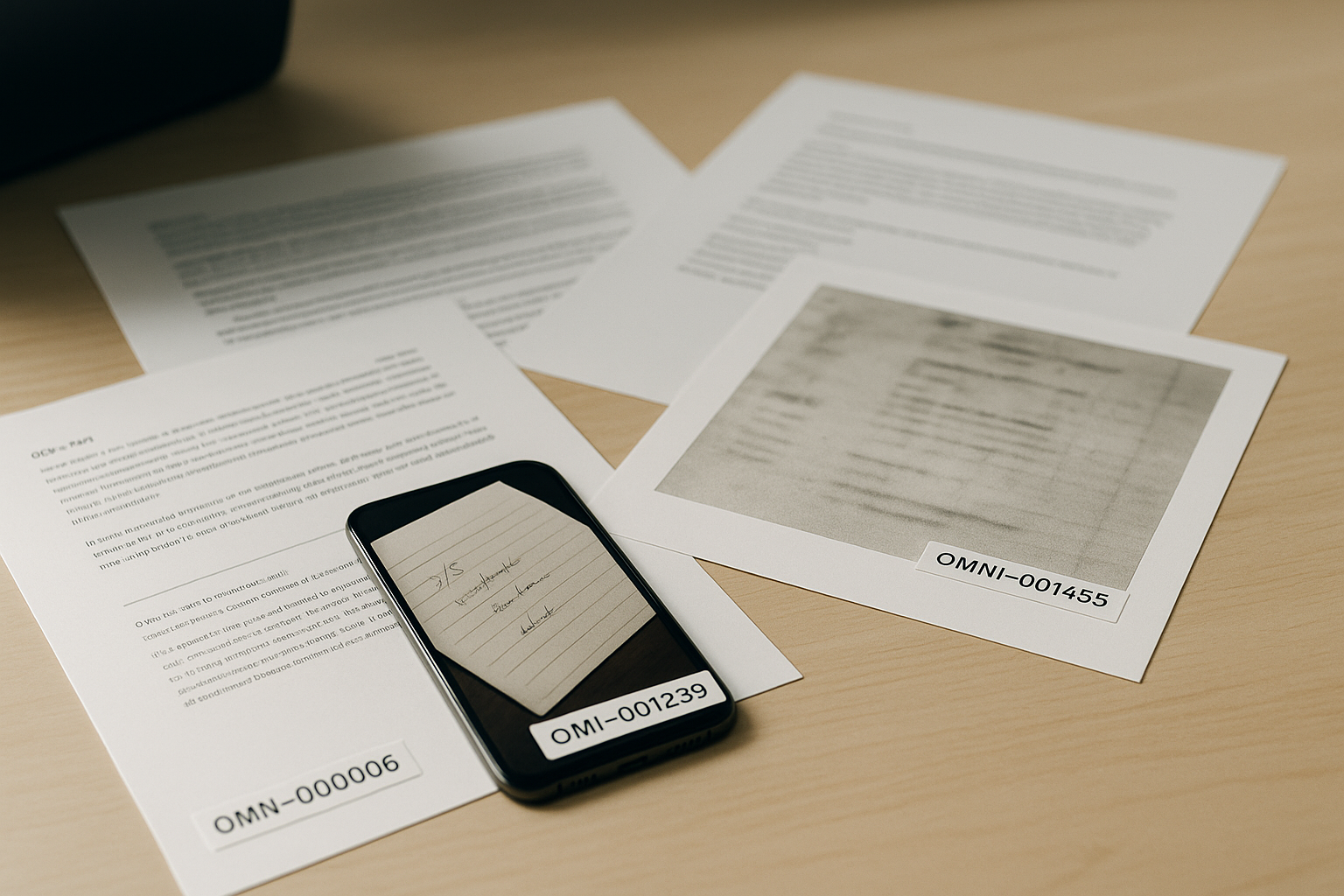
Most discovery productions stall because the source files aren't uniform. You get a folder containing 500-page OCR'd PDFs, high-resolution smartphone photos of handwritten notes, and dozens of blurry scans from a 2010 flatbed. Standard PDF editors usually choke on this variety, either crashing during the bake-in process or failing to apply a sequential sequence across different file types. Consistency isn't just a matter of aesthetics; it's a requirement for court-approved formats and firm-standard compliance.
To move from raw discovery to a same-day production, the workflow must handle file conversion, sequential numbering, and metadata logging in a single pass. If you're manually opening every file to check the stamp placement, you've already lost the billable hour battle.
Why mixed discovery formats break standard workflows
When a legal team receives 10,000 pages of mixed media, the primary technical challenge is the coordinate system. A standard 8.5x11 PDF has predictable margins. A JPEG photo from an iPhone does not. If your software treats every file as a standard page, your Bates stamps will end up cut off, buried in the gutter, or scaled so small they're unreadable.
True production-scale processing requires the engine to normalize these disparate inputs. This doesn't mean changing the original evidence—which would be a forensic nightmare—but rather overlaying a compliant, readable Bates label that remains fixed regardless of how the document is viewed or printed later.
The checklist for an audit-ready production log
A sequential stamp on a page is only half the job. Without a corresponding run log, your production is vulnerable to challenges regarding authenticity or completeness. When the opposing counsel asks for a specific document referenced in a witness statement, you need a verifiable trail that links the original filename to the produced Bates range.
Every production run should generate a log that includes:
- Original Filename: The exact name of the file before processing.
- Bates Start/End: The specific range assigned to that specific file.
- Page Counts: Total pages processed per file to ensure no drops occurred.
- Timestamp: The exact second the production was finalized.
- Custom Prefixes: Matter numbers or party identifiers (e.g., DOE-0001).
Comparing manual vs. automated numbering workflows
| Feature | Manual PDF Stamping | Production-Scale Automation |
|---|---|---|
| Processing Speed | 1-2 files per minute | Hundreds of pages per second |
| Sequential Accuracy | High risk of human error | Hard-coded sequential logic |
| Format Flexibility | Limited to PDFs only | PDFs, JPGs, Scans, Photos |
| Audit Trail | Manual spreadsheet entry | Automated CSV/PDF run logs |
| Compliance | Dependent on user settings | Hard-coded firm & court standards |
| Data Privacy | Files often uploaded to cloud | Local browser-based processing |
Managing custom prefixes and matter-specific branding
Most firms don't just need numbers; they need identifiers. In 2026, firm-standard compliance means every page produced carries a specific matter number and a date stamp. This creates a permanent link between the document and the case file.
We see many small firms try to use "Add Header/Footer" tools in basic PDF software for this. The problem? Those tools don't understand sequences. They'll put "Page 1" on every document instead of continuing the count from the last file. If you're handling a same-day production, you don't have time to manually calculate if the next file should start at 00456 or 00457. The software should handle the math while you define the prefix.
The risk of cloud-based processing vs. local execution
Large-scale document processing often involves a trade-off: speed vs. security. Many online tools require you to upload your entire discovery volume to their servers. For a legal professional, this is an unnecessary risk. Data breaches are an existential threat to a law firm's reputation.
OmniBates was designed with a privacy-first architecture. Even though it's an online tool, the actual processing happens locally in your browser. Your sensitive discovery documents—those PDFs of medical records or scans of proprietary trade secrets—never leave your machine. You get the speed of a web interface with the security of an air-gapped local tool.
Frequently Asked Questions
What formats can be included in a single Bates numbering run?
A professional tool should accept standard PDFs, high-resolution scans, and common image formats like JPEG or PNG. OmniBates allows you to drop all these into a single queue and process them into a unified, numbered production.
How do I ensure the Bates stamp is court-approved?
Court-approved formats generally require a clear, legible stamp in the bottom right corner that does not obscure the underlying text. Using a tool like OmniBates allows you to set custom prefixes and padding (e.g., ABC-000001) that meet these specific jurisdictional requirements.
Can I add matter numbers and date stamps simultaneously?
Yes. Effective production software allows for multiple lines of text or custom prefixes so that each page identifies the matter name, the date of production, and the unique Bates number in one pass.
What happens if the production is interrupted?
This is where the audit-ready run log is vital. If a process stops, the log shows exactly which files were completed and which Bates numbers were used, allowing you to resume without duplicating numbers or leaving gaps in the sequence.
Sources / Further reading: See American Bar Association (ABA) Formal Opinion 477R on Securing Communication of Confidential Information for context on why local processing is preferred for legal documents.